GitHub on the map
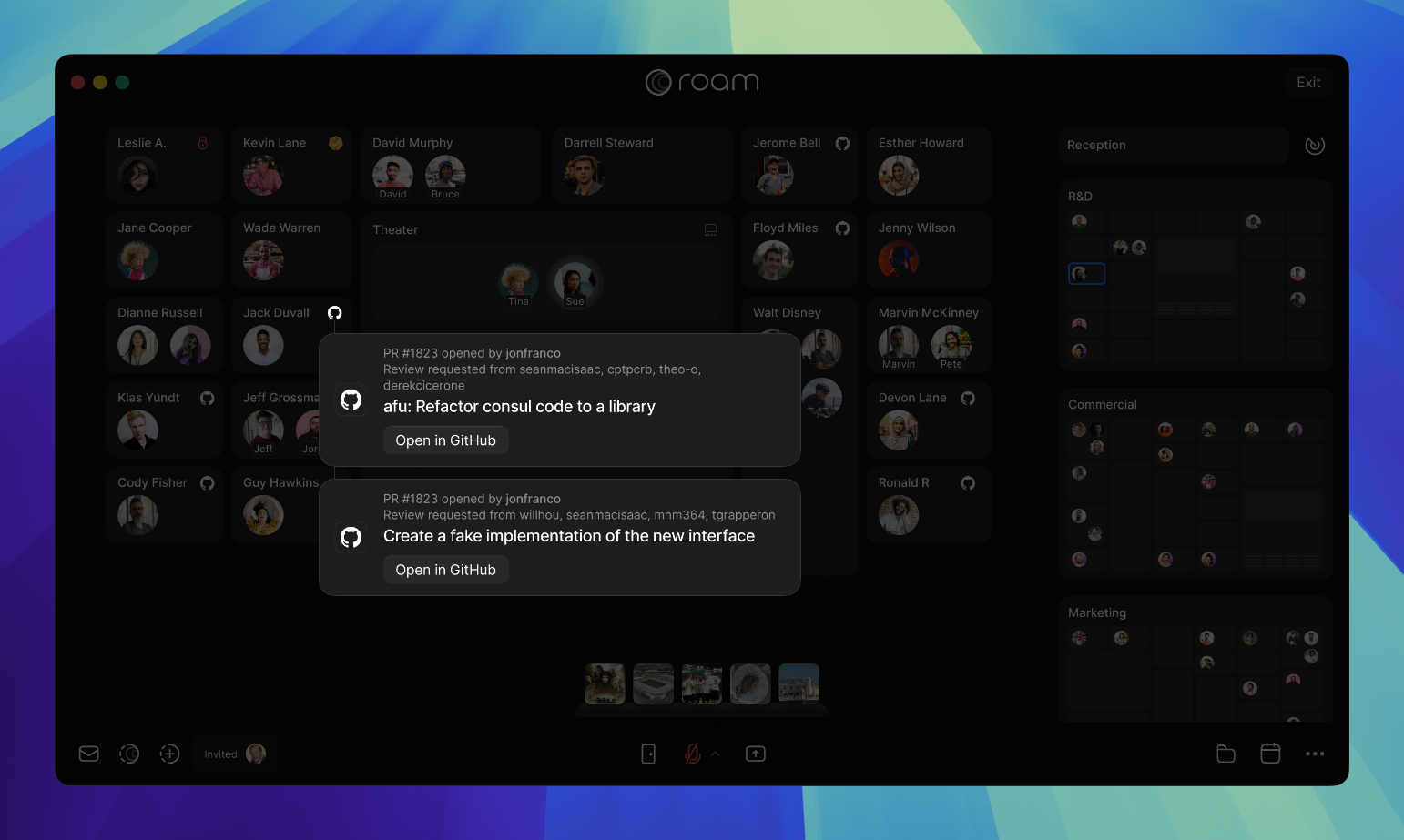
When you submit a GitHub pull request (PR), it shows next to your Private Office on the map, making it easy for the reviewer to view and access. You will see all your own outstanding PRs on the map and can click on them for a preview and direct link to GitHub.
How to Enable GitHub on the Map
- A Roam Admin who is also a GitHub Admin must first link the organization account in Settings > Roam Administration > Calendar & Integrations > GitHub.
- Each member can link their individual GitHub account in Settings > Integrations > GitHub.
Guides
All Virtual Office Platform GuidesVirtual Office Platform GuideVideo Conferencing GuideEnterprise Messaging GuideAI Note Taker GuideMeeting Scheduler GuideScreen Recorder GuideVirtual Events GuideAI Assistant for Work GuideVirtual All-Hands GuideUse Cases
AI StartupsCrypto and Web3 TeamsDesign AgenciesEcommerce AgenciesInsurance TeamsMortgage TeamsRemote TeamsExecutive Assistants© 2026 Roam HQ