!deas

Roam Awarded Key Virtual Office Patent
September 15, 2026
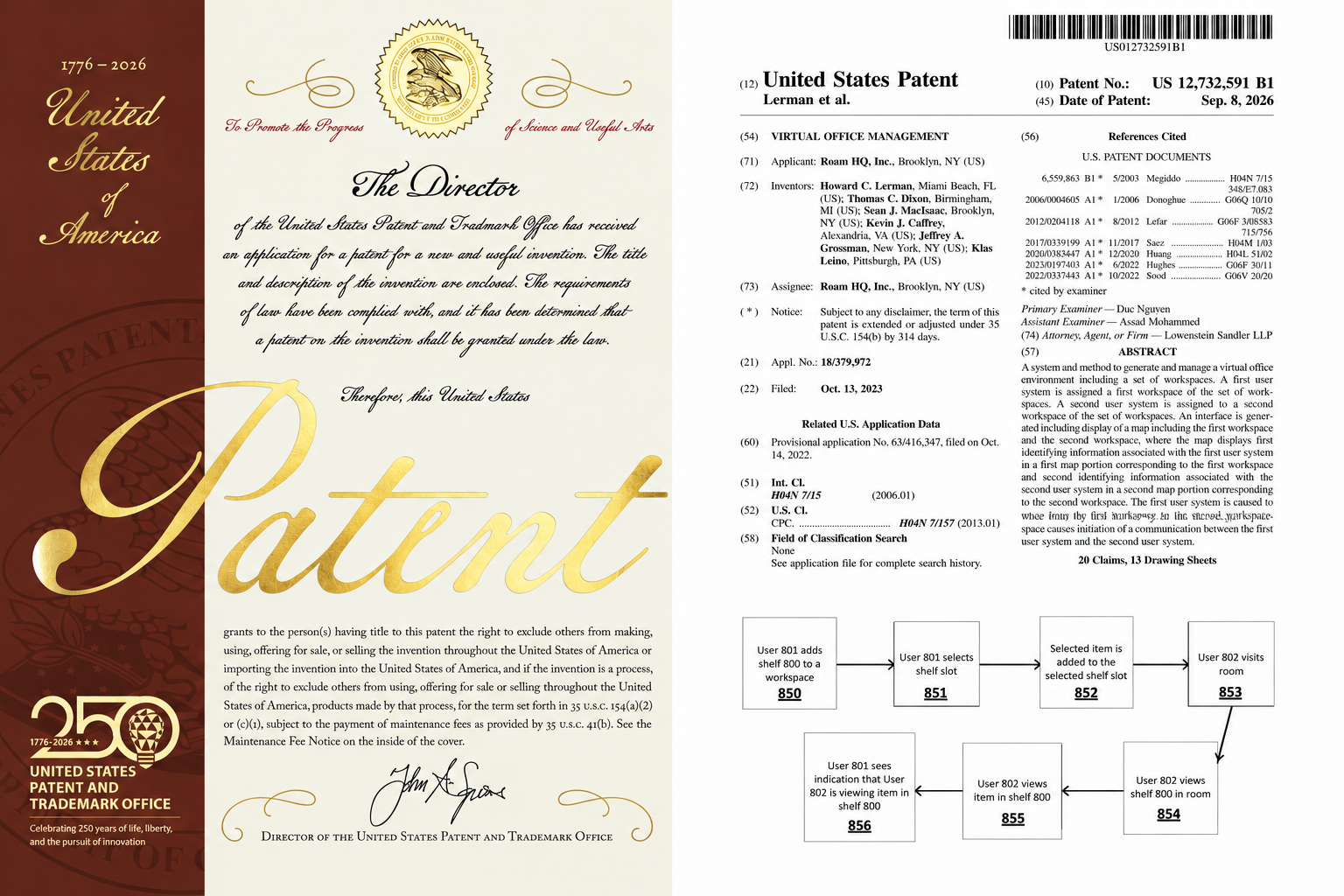
Today, Roam announced that the United States Patent and Trademark Office has issued the company a patent titled “Virtual Office Management” - a system and method to generate and manage a virtual office environment.
“We are ecstatic that the USPTO has recognized and protected the novel inventions underlying the breakthrough Roam Virtual Office,” said Howard Lerman, Roam Founder and CEO.
“Roam’s !nvention philosophy is quite simple. Each day, we close our eyes and imagine a real office. We consider everything it was designed to do: the subtle interactions, the little nooks and spaces, the different kinds of rooms and machinery, the details, the social nuances, and the customs and ceremonies. We then endeavor to create their digital equivalents—giving remote companies as many of the advantages of a physical office as possible.”
The patent protects foundational Roam interactions, including an interactive office Map displaying people within individually selectable workspaces; moving between rooms by selecting them on the Map; automatically launching the appropriate communication experience upon entry; Knocking; contextual workspace modes and actions; and AI-generated meeting summaries and follow-up conversations.
The patent also describes many of the inventions that make Roam feel like a real office inside a computer—including Meeting Rooms, Office Indicators, Shelves, the Theater, AInbox, and more.
U.S. Patent No. 12,732,591 B1 was issued on September 8, 2026. It names Howard Lerman, Tom Dixon, Sean MacIsaac, Kevin Caffrey, Jeffrey Grossman, and Klas Leino as inventors.

Offsites at a Remote Company
August 4, 2026
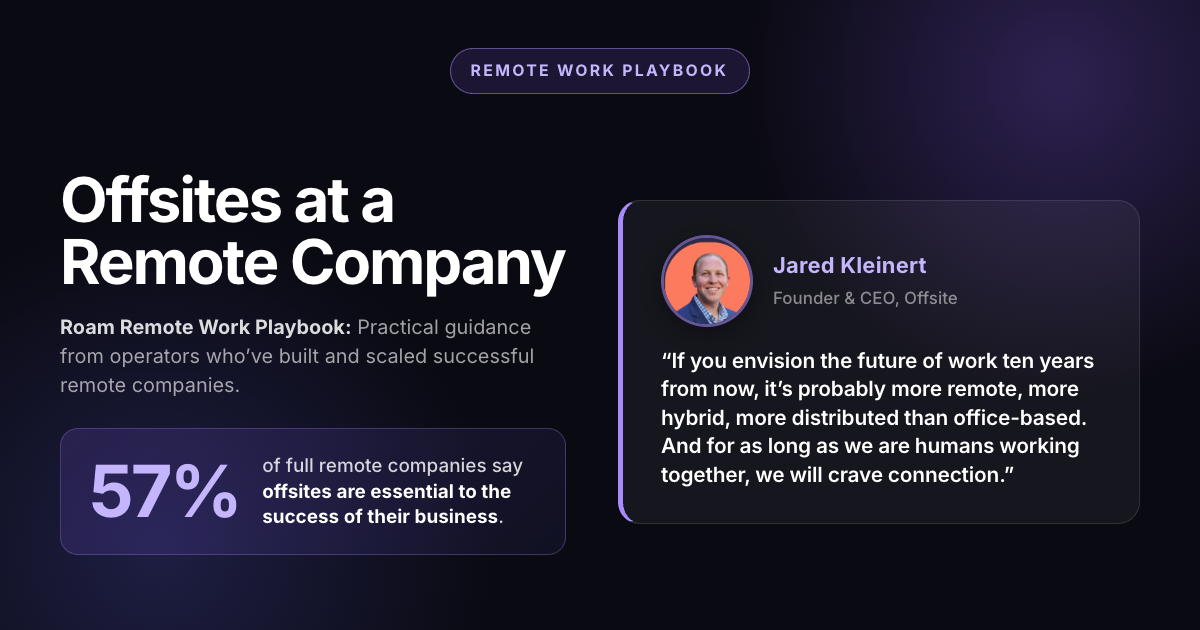
Part of the Roam Remote Work Playbook: Practical Guidance from operators who’ve built and scaled successful remote companies.
Over 57% of full remote companies say offsites are essential to the success of their business.
Jared Kleinert is the founder and CEO of Offsite, a company that plans team retreats for hundreds of remote first organizations including Perplexity, Remote, Zapier, and Roam. Before founding Offsite, Jared was employee #7 at 15Five, one of the earliest remote-first companies in tech.

“If you envision the future of work ten years from now, it’s probably more remote, more hybrid, more distributed than office-based. And for as long as we are humans working together, we will crave connection.”
—Jared Kleinert
Key Takeaways
- One company-wide offsite each year is a best practice for most remote companies.
- Leadership and high-collaboration teams (such as sales, marketing, product, and engineering) often benefit from meeting more frequently.
- Reserve in-person time for building trust, strategic planning, and decisions that are difficult to make remotely.
- Plan intentionally, but leave room for spontaneous conversations and relationship building.
- Think of offsites as a long-term investment in culture, alignment, and retention, not as a company perk.
How Often Should Remote Companies Gather?
There isn’t a single right cadence for company offsites. According to Jared Kleinert, the right schedule depends on company size, team function, and the purpose of gathering.
For companies with a few hundred employees, Kleinert considers one all-company offsite each year to be the baseline. Bringing the full team together creates benefits that extend well behind the offsite itself, from stronger employee engagement and retention to better cross-functional alignment and recruiting.
The broader principle is that offsites shouldn’t be planned out of habit or skipped because they feel optional. Each gathering should have a clear purpose, with a cadence that reflects the work each team is trying to accomplish. Kleinert also pointed to companies like Airbnb and Dropbox as useful examples. When Airbnb embraced remote-first work, CEO Brian Chesky encouraged employees to gather in person throughout the year depending on their role and team. Dropbox adopted a similar philosophy through its “90/10” model, where most work happens remotely while teams come together for a handful of intentional gatherings each year.
Why Are Offsites Worth the Investment?
For remote companies, the purpose of an offsite isn’t to compress a year’s worth of culture into a few days. The strongest distributed teams build relationships, collaborate, and stay aligned every week through intentional remote practices. An offsite should build on that foundation, not replace it.
Offsites create opportunities to deepen relationships that already exist. Teams that collaborate regularly throughout the year can use in-person time to strengthen trust, have more candid conversations, and develop the context that makes remote collaboration even more effective afterward.
That’s why the best remote companies don’t think of offsites as a substitute for culture. They’re an extension of it. The day-to-day work of building relationships, communicating effectively, and collaborating across teams still happens remotely. Offsites simply provide dedicated moments to reinforce those relationships, align around the biggest decisions, and return to remote work with greater clarity and momentum.
How Should Companies Structure an Offsite?
According to Kleinert, a successful offsite starts well before anyone boards a plane. The executive sponsor, whether that’s the CEO, CRO, or Chief People Officer, the person planning the event should first align on two things: the purpose of the offsite and the budget. Those decisions shape everything that follows.
For the typical gathering, it is recommended to resist the urge to pack every hour with presentations. Instead, the agenda should alternate between relationship building, focused work, and time for informal conversations.
Just as important is leaving room for the conversations that aren’t on the agenda. Some of the most valuable moments happen between sessions, over coffee, during a walk or at dinner. This is where ideas are shared, problems are solved, and relationships deepen naturally.
A great offsite isn’t measured by how much fits on the schedule. It’s measured by whether people leave with stronger relationships, clearer priorities, and better decisions than when they arrived.
How Much Should Companies Budget for an Offsite?
For most remote companies, Kleinert says a realistic budget is around $2,500 per person. That typically covers airfare, accommodations, meals, meeting space, transportation, and planned activities. While it can be tempting to cut costs by choosing a less expensive destination, accessibility matters just as much as price. Because remote teams are often flying in from multiple cities, locations near major airports tend to reduce travel time, simplify logistics, and ultimately improve attendance.
One misconception is that larger offsites become cheaper because of group discounts. In reality, the opposite is often true.
As attendance grows, companies need to book deeper into a hotel’s inventory, which means standard rooms fill up quickly and groups are pushed into more expensive room categories. Even with negotiated rates, the average cost per attendee can increase as the event gets larger. Rather than trying to minimize spending, successful remote companies think about offsites the same way they think about hiring, software, or customer acquisitions. They are investments designed to produce measurable returns. The goal isn’t to spend as little as possible. It’s to spend intentionally.
Will Offsites Become More or Less Important as Remote Work Evolves?
As remote work continues to grow, the role of company offsites is likely to become even more important. The office once created opportunities for connection by default. Remote companies have to create those moments intentionally. That’s why the most successful distributed teams don’t think of offsites as occasional perks or rewards. They treat them as a part of how the company operates.
As AI takes over more of the routine work, the value of being together becomes even harder to replace. Technology can make teams more productive, but it can’t create shared memories or strengthen the relationships that great companies are built on.
The future of work is becoming increasingly digital, but the moments that matter most will remain deeply human.
Frequently Asked Questions
How often should a remote company hold an offsite?
At minimum, every remote company should bring the organization together once a year. Smaller teams (under 10 people) can often meet monthly, while companies around 50 employees typically gather quarterly. Companies past 100 people often shift to four to six gatherings a year across different formats and departments.
How long should a company offsite last?
Most successful offsites last around four days. That typically includes travel and a welcome day, a day focused on strategy and planning, and one or two days that balance collaborative work with social activities and unstructured time.
How do you measure whether an offsite was successful?
Start by defining what success looks like before the event. For internal offsites, companies often track employee engagement or eNPS before and after the gathering. For customer events, success is better measured through business outcomes such as pipeline generation, customer retention, or long-term revenue rather than attendance alone.
Are company offsites becoming more or less important?
More important. As remote work and AI make daily collaboration increasingly digital, in-person gatherings become one of the few opportunities to strengthen relationships and align teams in ways that are difficult to replicate online.
The Bottom Line
The best remote companies don’t leave in-person connections to chance. They build it into the way they operate. Whether it’s a company offsite or team retreats, success isn’t defined by the destination or the agenda. It’s defined by whether people leave more connected, more aligned, and better equipped to do great work together.
Performance Management for Remote Teams
July 27, 2026
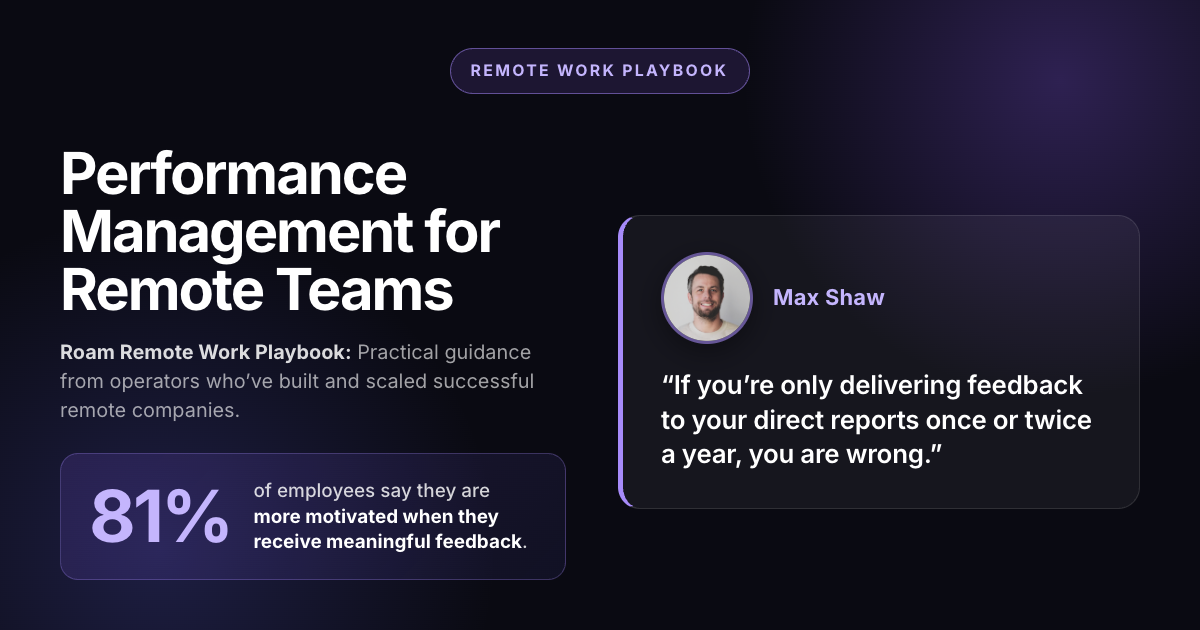
Part of the Roam Remote Work Playbook: Practical Guidance from operators who’ve built and scaled successful remote companies.
81% of employees say they are more motivated when they receive meaningful feedback.
Max Shaw is the co-founder of Windmill, an AI-powered platform built to help companies run more effective performance reviews. He led remote teams long before remote work became the norm and now builds performance and talent development tools for other remote companies. His experience offers a practical perspective on how distributed companies can measure performance and build high-performing teams without relying on office visibility.

“If you’re only delivering feedback to your direct reports once or twice a year, you are doing it wrong.”
—Max Shaw
Key Takeaways
- Measure outcomes, not activity. Tracking hours online or mouse movement creates the wrong incentives. Focus on the work that actually moves the business forward.
- Make feedback continuous. Regular check-ins and frequent 1:1s are far more effective than relying on annual performance reviews.
- Document as you go. Keeping notes, recordings, and accomplishments throughout the year makes the reviews faster and more accurate.
- Build systems, not surveillance. High-performing remote teams succeed because they create clear accountability, not because they monitor employees more closely.
Performance Starts with Visibility
One of the biggest misconceptions about remote work is that managers lose visibility into how their teams are performing. In an office, managers naturally pick up on information throughout the day, whether through overheard conversations, quick hallway chats, or simply seeing who is at their desk. While those moments can be helpful, they are also inconsistent and often subjective.
Remote work encourages a more intentional approach. Instead of relying on chance interactions, remote teams build systems that make performance and communication visible. The focus shifts from assumptions to documentation, regular check-ins, and measurable outcomes.
For Max Shaw, that intentionality comes down to two questions:
- Is the work getting done?
- How are your people actually doing?
When those questions are answered consistently, managers don’t need hallway conversations to understand what’s happening. They have a clear, more reliable picture of their team than an office alone could provide.
Build Feedback into Your Workflow
Effective performance management isn’t just about evaluating results; it’s about creating consistent opportunities for feedback along the way.
Rather than waiting for issues to surface on their own, high-performing remote teams build feedback into their everyday workflows. Regular conversations create space to celebrate wins, identify roadblocks early, and give employees the support they need before small challenges become larger performance issues.
As Shaw explains, when feedback isn’t built into the way a team operates, employees may be less likely to voice concerns and more likely to quietly disengage. When feedback becomes part of the workflow instead of a standalone event, managers gain a clearer understanding of performance, employees feel more supported, and performance reviews become a reflection of ongoing conversations rather than a scramble to remember the past few months.
Rethink the Performance Review Entirely
Traditional performance reviews ask managers to summarize months of work into a single conversation. The problem isn’t the review itself; it’s waiting until review season to start evaluating performance.
When feedback only happens once or twice a year, managers are forced to reconstruct months of context from memory. That process is inefficient and increases the risk of missed details and inconsistent evaluations. A more effective approach is to make performance management continuous.
In practice, that means regular 1:1s that capture progress in real time, with occasional lightweight reflection points to step back and assess performance over a longer horizon. The goal isn’t to turn every conversation into a formal review, but to ensure nothing important gets lost between review cycles.
This approach reduces a common behavioral pattern: employees optimizing around review timing. When performance is only measured at specific intervals, people naturally adjust their behavior around those checkpoints rather than maintaining consistent performance over time.
As Max Shaw puts it, “The key to running a fast and efficient performance review process is not waiting until the performance review cycle to do all the work.” Over time, performance reviews stop being something you “prepare for” and become something that simply reflects what has already been documented.
Make Hard Conversations Synchronous
In remote teams, the medium you use to communicate matters just as much as the message itself, especially when the feedback is difficult.
Written communication is fast and efficient, but it removes tone and context. That tradeoff works well for updates, documentation, and alignment. It breaks down when the conversation involves critique, tension, or sensitive performance feedback. Synchronous conversations create space for clarification, follow-up questions, and a more human exchange. They reduce the risk of misinterpretation and help preserve trust between managers and their teams.
This doesn’t mean all feedback needs to be formal or scheduled. Public praise and reinforcement can and should happen in writing. The asymmetry is intentional: praise benefits from visibility, while corrective feedback benefits from context.
The goal is simple. Use the right medium for the right conversations. When the stakes are high, real-time communication protects both clarity and relationships.
Remote Work Rewards Real Output
In-person settings often reward visibility as much as output. Being seen in meetings, responding quickly in conversations, or simply appearing busy can create the impression of strong performance even when it doesn’t always reflect results.
Remote work shifts that dynamic. Without signals of physical presence, performance becomes more dependent on what is actually delivered. Work output, progress on projects, and consistency of execution become easier to evaluate than effort or appearance.
As Max explains, this shift makes it harder to rely on perception alone and pushes teams toward evaluating what people actually get done. That doesn’t eliminate bias or subjectivity, but it does reduce the influence of surface-level signals that can distort judgment in office environments. The result is a clearer focus on real contribution rather than perceived activity.
Remote work doesn’t just change where people work; it changes what organizations pay attention to.
Push Information Outward, Not Just Upward
In many organizations, information tends to flow vertically through managers, then up the chain, and eventually to decision-makers. In remote teams, that model becomes even more fragile.
When communication depends on escalations, context gets lost at every step. Decisions slow down, small issues compound, and leadership ends up relying on incomplete or delayed information. High-performing remote teams take a different approach. They design systems where information is visible and accessible at the source, rather than filtered through layers of management.
The goal isn’t to eliminate managers or hierarchy. It’s to reduce the dependence on managers as informational bottlenecks. When information flows outward by default, teams move faster, context stays intact, and fewer decisions depend on what someone remembers to pass along.
Frequently Asked Questions
How do you know if someone is actually performing well in a remote team?
By focusing on outputs, not activity. Strong performance shows up through consistent delivery, progress on goals, and clear communication, not online presence.
What replaces informal feedback in a remote environment?
Structured feedback loops like recurring 1:1s, written updates, and lightweight reflection points.
Are performance reviews still necessary if feedback is continuous?
Yes, but their role changes. Instead of being the moment where performance is evaluated, reviews become a summary of ongoing documentation and conversations.
Does remote work make it harder to identify top performers?
It can actually make output more visible, since it’s harder to look busy without producing results. The key condition is having a documented system for tracking work and progress; otherwise, evaluation relies on memory and perception.
Is remote performance management just about more tracking and tools?
No. The goal isn’t to add more monitoring; it’s to build clearer systems for defining and measuring outcomes. The best remote teams reduce ambiguity, not increase surveillance.
The Bottom Line
Performance reviews in remote teams work when they are built around clear, documented outputs rather than perception. Managers need shared definitions of success, consistent tracking of goals, and regular written feedback that captures context over time. When performance is measured using structured, transparent criteria, remote environments can actually make evaluation more accurate by focusing on real results instead of presence.
Remote Work For Parents
July 13, 2026
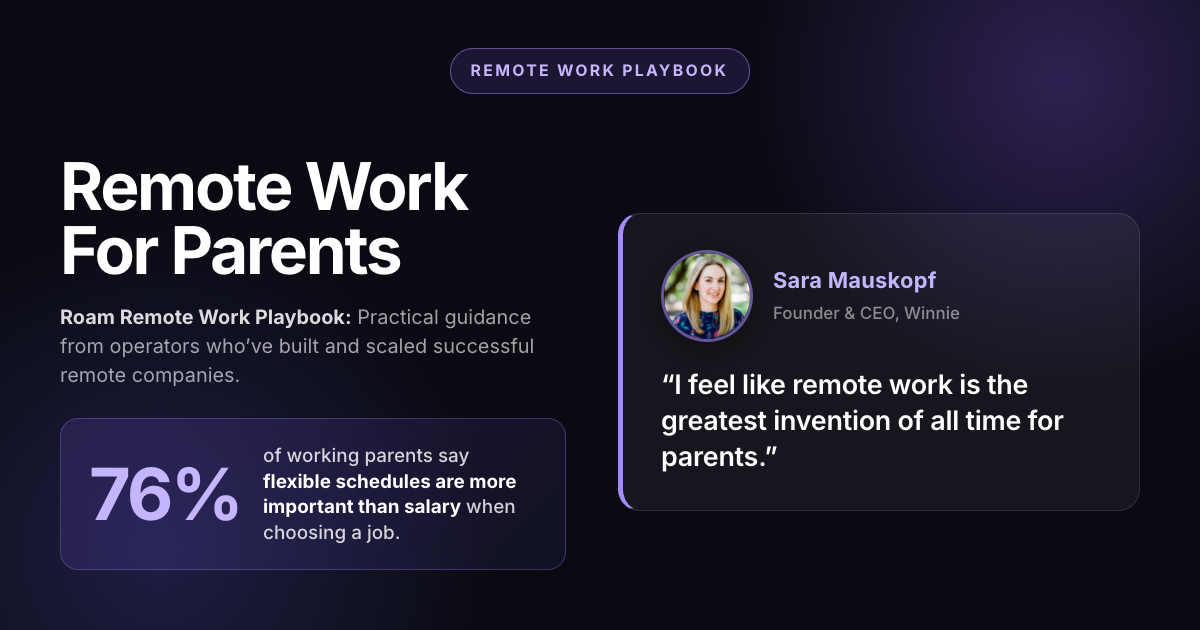
Part of the Roam Remote Work Playbook: Practical Guidance from operators who’ve built and scaled successful remote companies.
76% of working parents say flexible schedules are more important than salary when choosing a job.
Sara Mauskopf, CEO and Co-Founder of Winnie, a childcare marketplace that has helped parents find daycare and preschool for more than a decade. She has led Winnie through both in-office and fully remote operations, giving her firsthand experience balancing remote work, childcare, and team management. The insights in this guide are based on her experience building and operating a remote-first company while serving working families.

“I feel like remote work is the greatest invention of all time for parents.”
-Sara Mauskopf
Key Takeaways
- Remote work doesn’t eliminate the need for childcare, it makes childcare logistics easier to manage.
- Flexible schedules expand childcare options by giving parents more control over hours and location.
- Companies that measure outcomes instead of hours tend to create better experiences for parents and everyone else.
- Trust and visibility outperform rigid attendance policies in remote teams.
- Eliminating the commute gives parents back time, energy, and focus not just hours.
How Remote Work Reduces the Stress Around Childcare
One of the biggest misconceptions about remote work is that parents no longer need childcare. In reality, a parent working full-time from home still needs someone else caring for their children during working hours. What remote work changes isn’t the need for childcare, it’s everything around it.
Without a commute, parents gain flexibility at the beginning and end of the day. School-drop offs, pickups, half-days, doctor’s appointments, and the occasional sick day become easier to absorb without derailing the entire workday. Instead of operating on a schedule with almost no margin for error, remote work introduces breathing room.
Mauskopf describes remote work as adding “slack” to the system rather than replacing childcare itself. That slack is what makes working parent life more resilient. Small disruptions that might have required taking time off in an office-based role can often be handled with a minor schedule adjustment instead.
The distinction matters because it shapes better workplace policies. Companies that assume remote parents don’t need childcare set unrealistic expectations. Companies that recognize remote work simply reduces logistical friction are more likely to build policies around flexibility, trust, and outcomes rather than fixed hours.
Flexible Schedules Create More Childcare Options
When parents start looking for childcare, it’s natural to focus on finding a provider with flexible hours. But in many cases, the bigger advantage comes from flexibility on the parent’s side.
A rigid office schedule narrows the field. If childcare has to line up exactly with commuting hours, drop-off windows, and pickup times, many otherwise good options become impractical. Remote work changes that equation by giving parents more control over their own schedule.
As Mauskopf explains, the more dimensions a parent can flex on, the easier it becomes to find childcare that works. Those dimensions include:
- Hours: Flexible work schedules make it easier to accommodate providers with narrower operating hours.
- Location: Without a daily commute, parents can consider childcare closer to home instead of along a commuting route.
- Price: A wider budget opens up additional options if needed.
- Curriculum or Program Style: Being flexible on educational approach can further expand the pool of available providers.
The more flexibility parents have across these dimensions, the larger the pool of viable childcare options becomes.
The Best Remote Work Policies Don’t Treat Parents Differently
It’s tempting to create separate remote work policies for parents. In practice, the strongest remote companies usually don’t. Instead, they build flexible policies that work for everyone.
Rather than tracking exact hours or requiring permission to step away for everyday responsibilities, remote-first teams set clear expectations around availability, communication, and results. This approach benefits parents, but it also benefits everyone else. Employees without children can have appointments, caregiving responsibilities, and personal obligations too. A policy built around trust and outcomes is simpler to manage—and fairer than one with special rules for different groups.
One expectation doesn’t change: full-time remote work still requires full-time childcare. Flexibility makes it easier to manage childcare that’s already in place; it doesn’t replace it.
Why Trust Beats Time Tracking in Remote Teams
Many companies worry that giving employees more flexibility will lead to less work getting done. In practice, remote-first teams often find the opposite.
When employees are trusted to manage their own schedule, they’re more likely to take ownership of their work. That means stepping up during a deadline, covering for a teammate, or looking back after hours when something urgent comes up—not because they’re being monitored, but because they’re treated like adults.
As Mauskopf puts it, “We hire adults because we expect that it goes both ways.” Trust isn’t just a management philosophy; it’s a practical way to build accountability.
The best remote teams pair trust with visibility. Everyone can see who’s available and who’s stepped away, so work keeps moving without managers needing to count hours or constantly check in. For parents, that visibility matters just as much as flexibility itself. Stepping away for school pickup doesn’t mean disappearing from the team—it simply means they know when you’ll be back.
Why Eliminating the Commute Matters More Than You Think
When people talk about the benefits of remote work, they often focus on the time saved by skipping the commute. For parents, the bigger benefit is everything that comes with it.
A commute isn’t just 30 or 60 minutes in the car. It’s getting everyone out the door on time, coordinating drop-offs, packing lunches, navigating traffic, and making every transition happen on schedule. Even a short commute adds layers of planning and stress before the workday has begun.
Removing that overhead gives parents more than extra time—it preserves energy and focus. Instead of starting the day already behind schedule, they begin work with fewer interruptions and more flexibility to handle the unexpected.
For parents, eliminating the commute isn’t just a convenience. It’s one of the biggest reasons remote work feels more sustainable over the long term.
The Right Tools Make Flexible Remote Work Possible
Flexible policies only work if teams have enough visibility into each others’ availability. Without it, managers often fall back on scheduled meetings, status updates, and tracking hours to understand who’s working and who’s not.
The best remote teams replace that uncertainty with visibility. Employees can step away for school pickup, focus time, or an appointment without disappearing from the team because everyone can see who’s available, who’s heads-down, and who’s away.
That’s the problem Roam is designed to solve.
Instead of relying on calendar invites for every conversation or a static status indicator, Roam gives teams a live view of who’s around and makes it easy to drop into quick conversations when someone is available. The result is a workplace built around trust rather than surveillance. Teams spend less time coordinating and more time collaborating—one reason companies using Roam average eight-minute meetings instead of the traditional 30-minute calendar block.
Remote work doesn’t succeed because people are at home. It succeeds because the right tools make flexibility possible without sacrificing visibility or accountability.
Frequently Asked Questions
Does Remote Work Eliminate the Need for Childcare?
No. Parents working remotely still need childcare if they’re working full-time. Remote work doesn’t replace childcare—it makes scheduling and managing it easier by reducing commuting time and giving parents more flexibility.
Should parents be allowed to block off school drop-off and pickup times?
Yes, as long as they are meeting expectations and communicating availability. Remote work isn’t about being online every minute of the day; it’s about giving people the flexibility to manage their time while still delivering results.
What’s the Most Important Factor in Finding Childcare as a Remote Parent?
The biggest advantage is flexibility on the parent’s side. Being open on hours, location, price, and curriculum expands the pool of childcare options more than relying on a provider with flexible hours alone.
Should Remote Companies Track Exact Hours for Parents?
In most cases, no. The strongest remote teams measure outcomes rather than hours worked, applying those same expectations to everyone instead of creating separate policies for parents.
What’s the Biggest Underrated Benefit of Remote Work for Parents?
Eliminating the commute. It’s not just the time saved—it removes the planning, transitions, and daily logistics that surround a commute, giving parents more time, energy, and focus.
The Bottom Line
For remote companies, the lesson is simple: build systems that prioritize outcomes over hours, make availability visible, and give employees the flexibility to manage their workday. Those practices don’t just support parents, they make remote work better for everyone.
The VCs Backing Remote Companies
June 16, 2026
Fundraising as a remote-first company can be challenging, since many VCs are on the record as being anti-remote, believing that in-office leads to the best outcomes. This makes sense. It is simple pattern recognition for what they have seen work in the past.
But today, AI productivity, global talent access, and remote work platforms platforms are rapidly changing the narrative. The majority of new companies are being formed as AI-native companies and incubated as fully remote or remote remote-friendly. They are incorporating AI Coworkers as their early teams. They are accessing on-demand global talent through work platforms like Deel, Howdy, Remote and Oyster. And they are maximizing productivity and building culture through remote work platforms like Roam.
This new crop of companies is following in the footsteps of hugely successful remote companies like Shopify, Zapier, and GitLab. Companies like Flex, Omni, and AcuityMD are exploding and backed by tier-1 VCs.
Below is a list of 120 VCs who have backed notable remote-first or remote-ish companies.
| Partner | Firm | Companies | # |
|---|---|---|---|
| Mike Volpi | Index Ventures | Elastic, Cockroach Labs, Dropbox, Temporal | 4 |
| Lachy Groom | Lachy Groom (solo) | WorkOS, Railway, Ashby | 3 |
| Peter Levine | Andreessen Horowitz | Replit, Pinecone, Graphite | 3 |
| Andrew Reed | Sequoia Capital | Sourcegraph, ElevenLabs, Loom | 3 |
| Ali Rowghani | Y Combinator Continuity | Deel, PostHog, Mattermost | 3 |
| Tyson Clark | GV | Vercel, PostHog | 2 |
| Reid Christian | CRV | Clerk, Browserbase | 2 |
| Matthew Jacobson | ICONIQ Growth | GitLab, Omni | 2 |
| Jennifer Li | Andreessen Horowitz | ElevenLabs, Mux | 2 |
| Caryn Marooney | Coatue | Supabase, Airbyte | 2 |
| Alexis Ohanian | Initialized / Seven Seven Six | Coinbase, Cal.com | 2 |
| Brandon Reeves | Lux Capital | Hugging Face, Chronosphere | 2 |
| David Schneider | Coatue | Grafana Labs, Mux | 2 |
| Glenn Solomon | Notable Capital (ex-GGV) | Neon, Browserbase | 2 |
| Eric Vishria | Benchmark | AcuityMD, Greptile | 2 |
| Jules Maltz | IVP | Clipboard Health, Roam | 2 |
| Anish Acharya | Andreessen Horowitz | Deel | 1 |
| Neeraj Agarwal | Battery Ventures | Mattermost | 1 |
| Rohit Agarwal | Peak XV (Sequoia India) | Multiplier | 1 |
| Praveen Akkiraju | Insight Partners | PlanetScale | 1 |
| Todd Arfman | Addition | Render | 1 |
| Alex Bard | Redpoint Ventures | Attio | 1 |
| Logan Bartlett | Redpoint Ventures | AcuityMD | 1 |
| Marc Benioff | Salesforce Ventures | Automattic | 1 |
| Ernie Bio | Forgepoint Capital | Huntress | 1 |
| Phil Black | True Ventures | Automattic | 1 |
| David Blyghton | Highland Europe | n8n | 1 |
| Jake Bodanis | Portage | Flex | 1 |
| Erica Brescia | Redpoint Ventures | Railway | 1 |
| Dan Cahana | Notable Capital | Browserbase | 1 |
| Martin Casado | Andreessen Horowitz | Convex | 1 |
| Fredrik Cassel | Creandum | Lovable | 1 |
| Sarah Catanzaro | Amplify Partners | Modal | 1 |
| Patrick Chase | Redpoint Ventures | Modal | 1 |
| Jerry Chen | Greylock | Chronosphere | 1 |
| Miles Clements | Accel | Linear | 1 |
| Tony Conrad | True Ventures | Automattic | 1 |
| David Cowan | Bessemer Venture Partners | Zapier | 1 |
| Byron Deeter | Bessemer Venture Partners | Vapi | 1 |
| Chris Dixon | Andreessen Horowitz | Coinbase | 1 |
| Mike Droesch | Bessemer Venture Partners | Vapi | 1 |
| Ira Ehrenpreis | DBL Partners | Mapbox | 1 |
| Carl Eschenbach | Sequoia Capital | Grafana Labs | 1 |
| Christine Esserman | Accel | Graphite | 1 |
| Jay Farber | F-Prime Capital | Ashby | 1 |
| Alex Ferrara | Bessemer Venture Partners | Shopify | 1 |
| Lee Fixel | Addition | Chronosphere | 1 |
| Ben Fletcher | Accel | Lovable | 1 |
| Ilya Fushman | Kleiner Perkins | Loom | 1 |
| David George | Andreessen Horowitz | ElevenLabs | 1 |
| Julia Gillard | Amplo | Andela | 1 |
| Randy Glein | DFJ Growth | Mapbox | 1 |
| Will Griffith | ICONIQ Growth | Drata | 1 |
| Sarah Guo | Conviction | Baseten | 1 |
| Gaurav Gupta | Lightspeed | Grafana Labs | 1 |
| Saar Gur | CRV | Mercury | 1 |
| Jan Hammer | Index Ventures | Remote.com | 1 |
| Anu Hariharan | Avra | Hex | 1 |
| Michael Hirshland | Polaris Partners | Automattic | 1 |
| David Hornik | August Capital (now Lobby) | GitLab | 1 |
| Sonya Huang | Sequoia Capital | Mercury | 1 |
| Alex Immerman | Andreessen Horowitz | Sardine | 1 |
| Joseph Jacks | OSS Capital | Cal.com | 1 |
| Christoph Janz | Point Nine | Whereby | 1 |
| Pete Jensen | Spectrum Equity | Customer.io | 1 |
| Lydia Jett | SoftBank Vision Fund | Andela | 1 |
| Omobola Johnson | TLcom Capital | Andela | 1 |
| Saagar Kulkarni | Stripes | Oyster | 1 |
| Amit Kumar | Accel | Tailscale | 1 |
| Danielle Lay | NEA | beehiiv | 1 |
| Dan Levine | Accel | Vercel | 1 |
| Anton Levy | General Atlantic | Chronosphere | 1 |
| Yoko Li | Andreessen Horowitz | Resend | 1 |
| Radhika Malik | Dell Technologies Capital | RunPod | 1 |
| Arun Mathew | Accel | Webflow | 1 |
| Michael McBride | GV | Attio | 1 |
| Mark McLaughlin | Alkeon Capital | Ashby | 1 |
| Karan Mehandru | Madrona | Clerk | 1 |
| Bucky Moore | Kleiner Perkins | PlanetScale | 1 |
| Dave Munichiello | GV | GitLab | 1 |
| Sunil Nagaraj | Bessemer (now Ubiquity) | Zapier | 1 |
| Stephen Nundy | Lakestar | Pitch | 1 |
| Deven Parekh | Insight Partners | Automattic | 1 |
| Yash Patel | Titanium Ventures | Flex | 1 |
| Seth Pierrepont | ICONIQ Growth | ElevenLabs | 1 |
| Erin Price-Wright | Index Ventures | Weaviate | 1 |
| Alex Rampell | Andreessen Horowitz | Mercury | 1 |
| Sri Rao | Silversmith Capital | Webflow | 1 |
| Yasmin Razavi | Spark Capital | Deel | 1 |
| Elliott Robinson | Bessemer Venture Partners | Render | 1 |
| Dan Rose | Coatue | Mercury | 1 |
| Mark Rostick | Intel Capital | RunPod | 1 |
| Nikhil Sachdev | Insight Partners | PlanetScale | 1 |
| Nicholas Sando | Octopus Ventures | Remofirst | 1 |
| Jake Saper | Emergence Capital | Maze | 1 |
| Bryan Schreier | Sequoia Capital | Clipboard Health | 1 |
| Hannah Seal | Index Ventures | Remote.com | 1 |
| Jordan Segall | Redpoint Ventures | Railway | 1 |
| Rama Sekhar | Menlo Ventures | Graphite | 1 |
| Aydin Senkut | Felicis Ventures | Supabase | 1 |
| Arjun Sethi | Tribe Capital | Alpaca | 1 |
| Brian Singerman | Founders Fund | Chronosphere | 1 |
| Hunter Somerville | StepStone Group | AcuityMD | 1 |
| Angela Strange | Andreessen Horowitz | Sardine | 1 |
| Sven Strohband | Khosla Ventures | GitLab | 1 |
| Laela Sturdy | CapitalG | Webflow | 1 |
| Garry Tan | Initialized Capital | Coinbase | 1 |
| Pule Taukobong | CRE Venture Capital | Andela | 1 |
| Victoria Treyger | Felicis Ventures | Maze | 1 |
| Tim Tully | Menlo Ventures | Neon | 1 |
| Tomasz Tunguz | Redpoint → Theory Ventures | Omni | 1 |
| Suken Vakil | JMI Equity | Huntress | 1 |
| Casber Wang | Sapphire Ventures | Huntress | 1 |
| Sarah Wang | Andreessen Horowitz | Hex | 1 |
| Fred Wilson | Union Square Ventures | Coinbase | 1 |
| Oren Yunger | Notable Capital (ex-GGV) | Drata | 1 |
| Sangeen Zeb | GV | Chronosphere | 1 |
| Stephanie Zhan | Sequoia Capital | Linear | 1 |
- Andreessen Horowitz — 11
- Bessemer — 6 · Accel — 6
- Redpoint — 5 (Bartlett, Chase, Brescia, Segall, Bard) · Sequoia — 5 (US: Huang, Eschenbach, Reed, Zhan, Schreier; Peak XV's Agarwal counted separately)
- GV — 4 (Munichiello, Clark, Zeb, McBride) · Index — 4
- Coatue, ICONIQ, Insight, Notable/GGV — 3 each
- Felicis — 2 (Senkut, Treyger) · plus CRV, Menlo, Kleiner at 2
AI Agents Need an Office
June 8, 2026
As AI agents move from assisting individuals to serving entire teams, their form must evolve.
Just as DOS terminals became graphical interfaces, agents will need richer, more visual ways to be understood and controlled. Some agents will be named and personified. Some will interact through voice, video, and visual understanding. Others will feel more like specialized programs: an “invoice analyzer,” a “lead researcher,” or a “customer onboarding assistant.” There will not be one universal agent interface. There will be many.
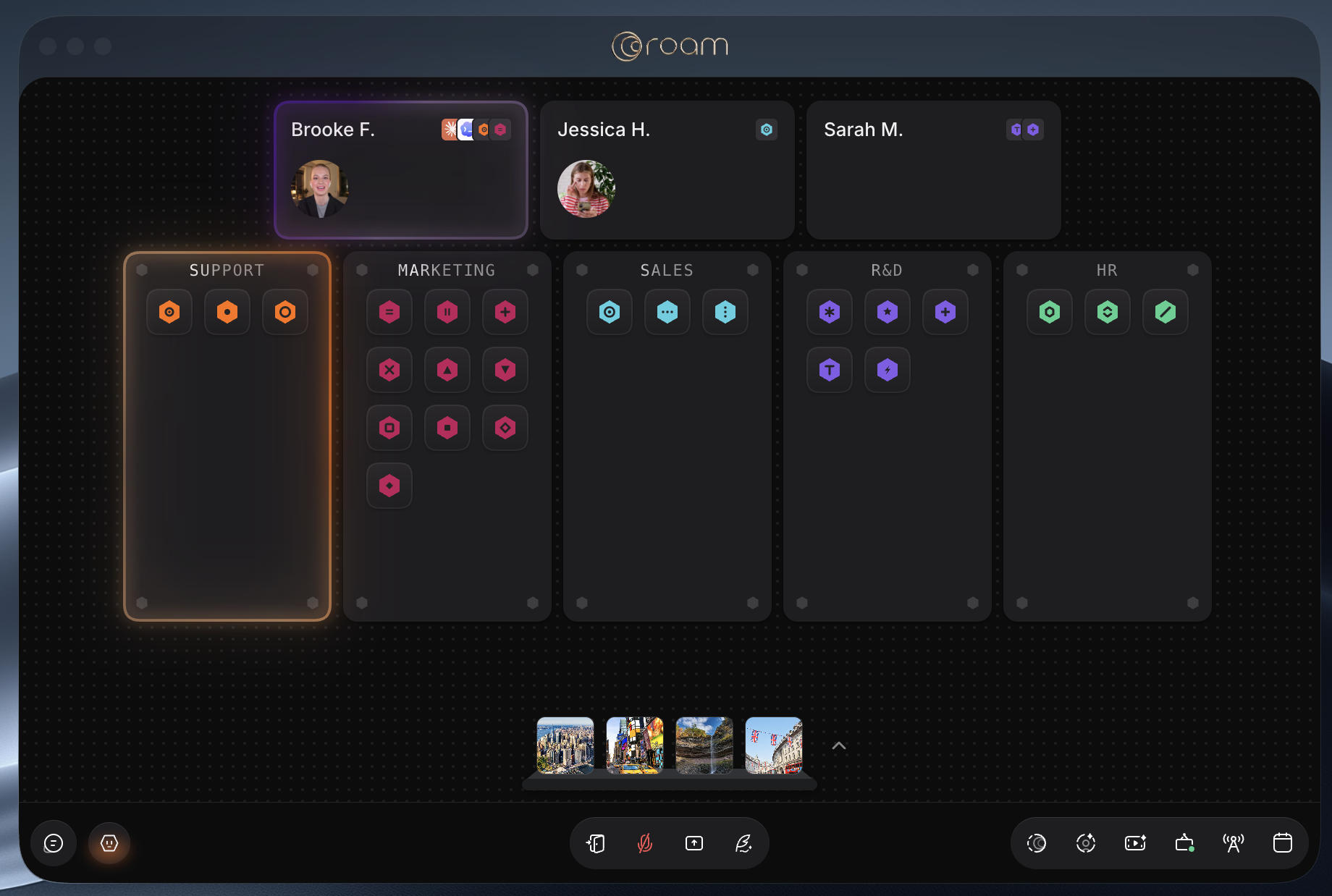
For humans, the physical office has always served as the collaboration hub. An office is full of signals: who is present, who is busy, who is working together, what energy is in the room, and where momentum is building. Ideas emerge not only in formal meetings, but from glancing up from deep work, overhearing activity, running into someone, or casually bouncing around an idea. The simple sight and sound of people working creates energy. Ambient presence matters.
That is one of the core ideas behind Roam’s Virtual Office: presence, office buzz, casual meetings, and the ability to see and feel work happening.
But as more deep work is picked up by AI coworkers, companies will need the same kind of visibility into agent work.
Which agents are running right now?
What tasks are they working on?
Which agents has my team created?
Which agent skills already exist somewhere else in the company?
Which agents need human input?
Which agents are blocked?
Which agents should join a live meeting?
This becomes even more important when agents require humans in the loop. Sometimes an agent may need feedback from a specific person. Other times, it may need any available human with the right context. And sometimes agents will need to work synchronously with a team, inside a live meeting, not merely after analyzing a transcript.
Now turn the question around and look at it from the perspective of the agent.
How does an agent know which people are available?
How does it know who is in a meeting right now?
How does it know when a team is actively collaborating?
How does it know where to ask for help?
If agents were people, these questions would be solved by the physical office. But AI agents are not people. They have no physical form. They are inherently remote.
But they do have a virtual form.
An AI agent runs on a computer. It can be represented visually on a computer. It can be shown to a person, a team, or an entire company. And in a shared team environment, humans should not only be able to see what agents are doing, but also interact with them, assign them work, join them into meetings, unblock them, and reuse their skills across the company.
That is why we believe AI agents should be visualized inside a Virtual Office.
The office of the future will not just be a place for people to work together. It will need a place where people and AI coworkers can see each other, understand what is happening, and collaborate in real time.
The Office That Thinks + The Next !nvention
May 12, 2026
Today Roam, the Office That Thinks, launched our new website with an instant interactive product tour right on the home page! Forever, I’d dreamed of being able to give our site visitors a demo right on our site. This led to tons of experiments, none of which worked. We made Demo Roam, which was an incredible multiplayer demo, but was just too clunky, used actual AV that required permissions, and could take up to 10 minutes. The new Ro.am site achieves the right balance of instant interaction on the home page while showcasing the rich functionality of our Virtual Office Platform. This only was possible because Joe, our designer, was able to use AI Coding to get what was in his head onto a webpage directly. Joe designed and coded the interactive part with Claude, and then Jeff integrated into our existing infrastructure with Codex.
Check out the instant product tour on our site.
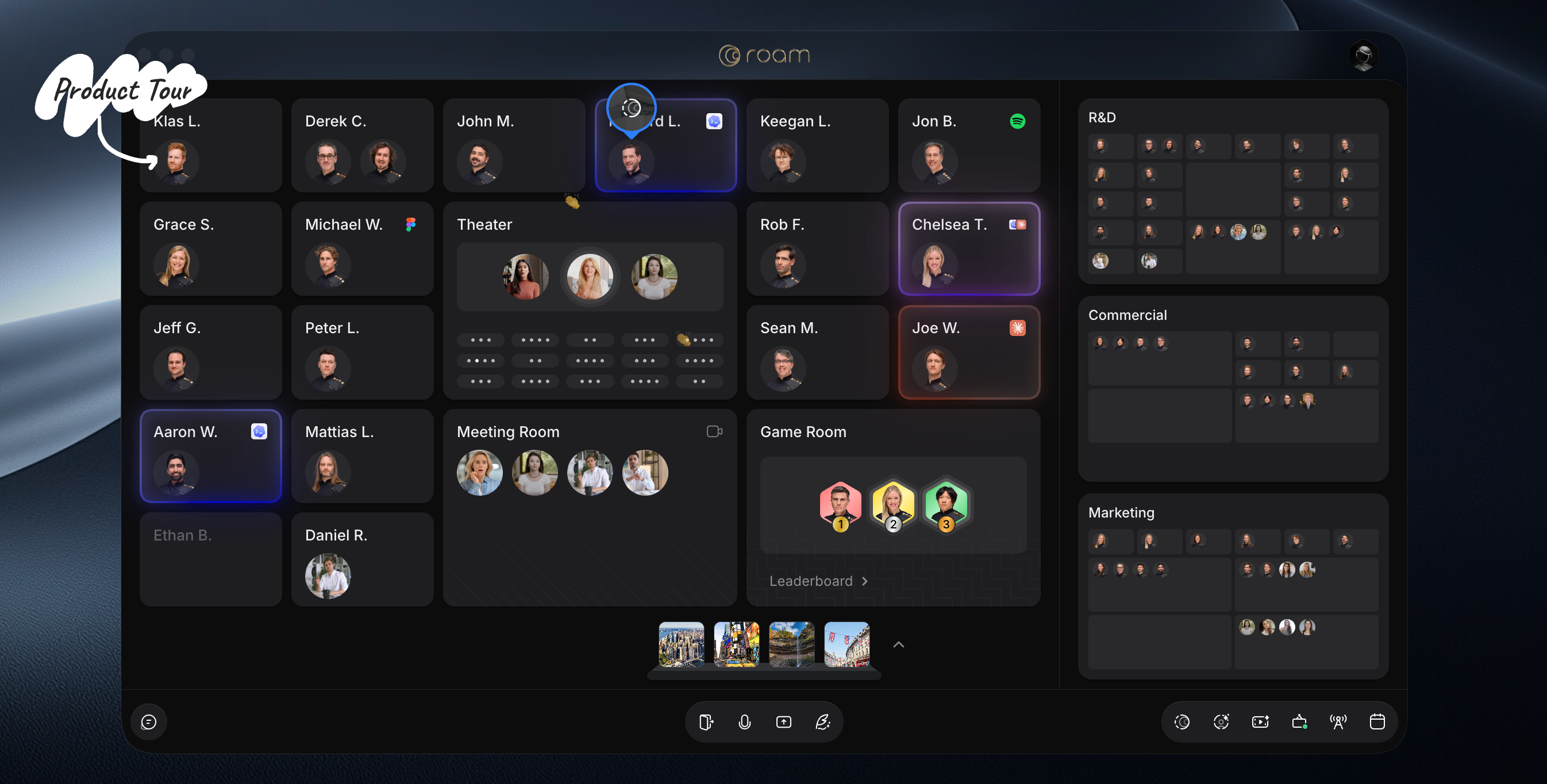
I’d also like to drop a breadcrumb about our next major !nvention. We’ve been inspired by the wild response we’ve seen to Claude Code and Codex on the Roam map. Our !nventors have been imagining what it looks like to run AI Agents inside your Virtual Office. Today’s orchestration is siloed, not collaborative and async. We see it differently: agents working out in the open, teammates jumping into a session together to push the next turn, agents summoned live to do work in a meeting.
That’s the Office That Thinks.
Onward,
Howard & The Roam Team

What Apple’s New CEO means for Virtual Office Platforms
April 21, 2026
I reflected a bit about the appointment of John Ternus as CEO, and I think that Apple is entering a new phase that may redefine not just its products, but the very concept of work itself. As the company transitions from the era of Tim Cook to a hardware-driven leadership model, it is increasingly positioned to champion a world where the “office” is no longer a place, but a distributed system powered by a mesh of intelligent devices. In that framing, Apple is not just building tools for productivity, it is laying the groundwork for fully realized virtual offices, where computation, communication, and collaboration happen seamlessly across devices, anywhere.
Ternus represents a return to Apple’s product-first DNA. His reputation inside the company is that of a meticulous builder, someone who prioritizes user experience over technological spectacle. At the same time, Apple has elevated Johny Srouji to oversee all hardware engineering. Srouji is widely regarded as the architect of Apple Silicon, one of the company’s most successful strategic bets in recent history.
I think that this alignment is critical because the future of AI at Apple will not be defined purely by models: it will be defined by where those models run.
We’ve been seeing Apple preparing for on-device AI for years. Neural Engines, efficient memory architectures, and tightly integrated OS’s have laid the groundwork for running increasingly sophisticated models locally. The rationale is straightforward: privacy, latency and reliability.
Apple already runs non-trivial machine learning workloads on-device, from speech recognition to image processing. In iOS 26, we got access to optimized Foundation Models that can now execute directly on mobile hardware, enabling a new class of applications.
For more complex tasks, Apple appears to be adopting a hybrid strategy, forming partnerships with external model providers, including systems associated with Google’s Gemini ecosystem, while maintaining strict control over privacy layers and orchestration.
By the time iOS 27 arrives, my expectation is not simply a “smarter Siri,” but a system-level coordinator: understanding user intents across apps, executing multi-step workflows automatically, and surfacing relevant information proactively
Apple has already laid much of the infrastructure for this through frameworks like App Intents and Shortcuts. The missing piece is an adaptive system capable of interpreting context and routing actions accordingly.
We, developers, remain first-class participants, exposing capabilities that the system can orchestrate through these frameworks. AI becomes a layer of composition and orchestration rather than a replacement for apps. OpenClaw but on your iPhone and not leaking your data everywhere in some sense!
So we’re gearing toward a more productive iOS. While not being itself a paragon of remote work, Apple effectively owns the stack of modern mobility: iPhone for communication, iPad for flexibility, and MacBook for high-performance portable computing.
What has been missing is deeper contextual awareness: systems that understand what users are doing, not just where they are. On-device AI enables complex workflows between expert apps, spanning multiple devices and platforms, while preserving the users’ data privacy. We’re preparing for these at Roam, with deeper system integration.
In this model, the office is no longer a location. It becomes a distributed system of devices and interactions, stitched together by intelligence.
If successful, Apple will not just build smarter devices. It will make intelligence ambient, available anywhere, at any time, without friction or compromise. And in doing so, it may finally deliver on a long-standing promise: that anyone, anywhere, can create, work, and think differently. It’s an exciting time to be developing and innovating on these platforms!

Don’t Build Your Company’s Brain Inside Slack. You Will Pay For It.
April 20, 2026

I spent years as CIO of a publicly traded company before I started Roam. In that time I watched a specific pattern play out again and again: a team adopts Slack for chat, and over the next few years quietly migrates many of its decisions, customer insights, and pieces of tribal knowledge into its channels and DMs. Not everything. But enough to produce the feeling that our company is running on Slack.
That is the moment you should be panicking. Because two things are true about the place you just put much of your company’s brain, and both of them are going to cost you: it only contains a fraction of how your company actually thinks, and the vendor that owns it is about to find out exactly how much you’ll pay to keep it.
Chat Is One Slice Of How Work Happens. Not All Of It.
The counter-argument, which I’ve heard from every Slack evangelist over the last two years, is that AI is going to fix all of this. Give it another six months and your Slack archive becomes a searchable, summarizable corporate memory. I actually agree AI will be extraordinary at organizing the chat transcript. That’s not the problem.
The problem is that the chat transcript is a small slice of how a company actually thinks, and it happens to be the least valuable slice. Decisions get made in meetings. Customer context gets created on sales calls. Strategy gets reframed in all-hands. Architecture gets sketched on whiteboards. Tradeoffs get explained in screen recordings. Slack sees the text residue of these events, if anyone bothers to write any of it down — which they usually don’t, because they just had the meeting.
So when you point an AI at your Slack archive and ask it what your company thinks about something, you get back a fluent summary of your company’s group chat. Not your company’s thinking. And that is worse than useless — it dresses up a fragmentary picture in the confident prose of a complete one. You get answers that sound authoritative and are missing the context that actually mattered.
Slack didn’t do this to you. You did this to yourself, because Slack was the easiest place to type something, and you slowly convinced yourself that what gets typed is what gets thought. That’s what Salesforce is counting on.
Then The Bill Comes Due
Slack has been owned by Salesforce since 2020. Salesforce did not pay $27 billion for a chat app out of sentimentality. They paid it because once a tool becomes the place your company thinks, you cannot leave. And when you cannot leave, the price goes up.
This is not a prediction. It is Salesforce’s playbook, run on every product they’ve ever owned: land cheap, expand into every workflow, wait until switching costs are unbearable, then move the pricing up and the features you need into higher tiers. Slack has been quietly walking this path for years — per-seat increases, AI gated to Business+, message history limits, admin controls parceled across tiers. The more valuable Slack has become to your company, the less leverage you have to push back. Salesforce’s sales team knows the number of channels you have, the integrations you’ve built, and the size of your archive. That is the number your renewal will be priced against. Not a penny less.
The Real Cost Is What You Can’t Measure
Buyers love to calculate the per-seat price. The actual cost of putting your company’s brain inside Slack is harder to spreadsheet. It is the cost of every AI-generated answer that sounds right and is missing the meeting where the opposite decision was made. Every new hire who onboards from a chat archive and comes out confidently wrong. Every strategic debate re-litigated because the version that got written down wasn’t the version that got decided. And eventually, a renewal conversation where the vendor knows you have nowhere to go.
A Different Approach
I didn’t just complain about this. I built differently.
At Roam, we built a virtual office — a single place where your team meets, presents, records, and chats. The decisions, the context, the recordings, and the text residue all end up in the same place because they all happened in the same place. That is what makes an AI layer actually worth something: when your assistant can see the meeting where the decision was made and the chat thread that followed, it can answer how your company actually thinks, not just how it types.
One plan, one price, every feature included, and we only bill for members who actually log in. The details are boring on purpose. The point is the philosophy: your company’s brain is too important to assemble from a dozen vendors’ scraps, and too important to rent from any one vendor whose business model depends on you being unable to leave.
The Bottom Line
Use chat for chat. Don’t let it become your wiki, your decision log, and your institutional memory all at once. And if you are going to put your company’s brain somewhere, put it somewhere that isn’t owned by a vendor whose entire corporate DNA is built around squeezing you the moment you depend on them.
Because Salesforce is very good at what it does. And what it does, eventually, is present you with the bill.
Who Wants a Headless Brain?
April 20, 2026

Last week Salesforce announced Salesforce Headless 360 for Saleforce, Agentforce & Slack.

The responses were mixed. Many jumped in offering their support, saying it was smart, others were trying to figure out exactly what it means. I personally do believe it is “correct”. Marc is brilliant at recognizing where the world is going and reshifting the positioning of Salesforce to capture the latest narrative. They’ve been on-demand, cloud, social, mobile, agent, and now headless.
Interestingly, I believe a headless CMS makes complete sense for a CRM system. Agents are going to need a sales system-of-record upon which to operate, and they will be best able to do so unencumbered by AI. Agents will analyze opportunities, update pipeless, suggest next steps, and assist a seller in the whole enterprise sales workflow. They’ll run CS.
However, a headless chat system - Slack - is a bit more challenging to digest. The point of a chat system is for human-to-human collaboration. Yes, Agents can be in the workflow when humans are in the loop. But going through a messaging platform is not an efficient way for Agents to talk directly. They will build their own APIs (and even possibly invent their own language!) to just get things done directly. Why go through an enterprise messaging system to get work done?
The argument for headless Slack is that Slack, with its messaging history, should be the context layer for the company. This is backwards. Chat is one data source among many. Meeting transcripts, code, CRM, office presence, project management, docs, email, calendar — most of what a company knows lives outside of Slack. The idea that you dump all of that into Slack so Slack can feed context to an agent gets the architecture exactly inverted. Context layers consume from systems of record. They aren’t themselves systems of record.
And, you have to just imagine how much Salesforce intends to charge and upsell for all of this. Salesforce is a notoriously ruthless pricing optimizer. Slack used to offer monthly billing by active users. No more. Now, it’s all prepaid upfront for the year. There are aggressive upsells and long term contracts. In the era of agents, don’t most companies want to move towards shorter-term usage based contracts?
So what is the head? Ben Lang of Cursor said it best:
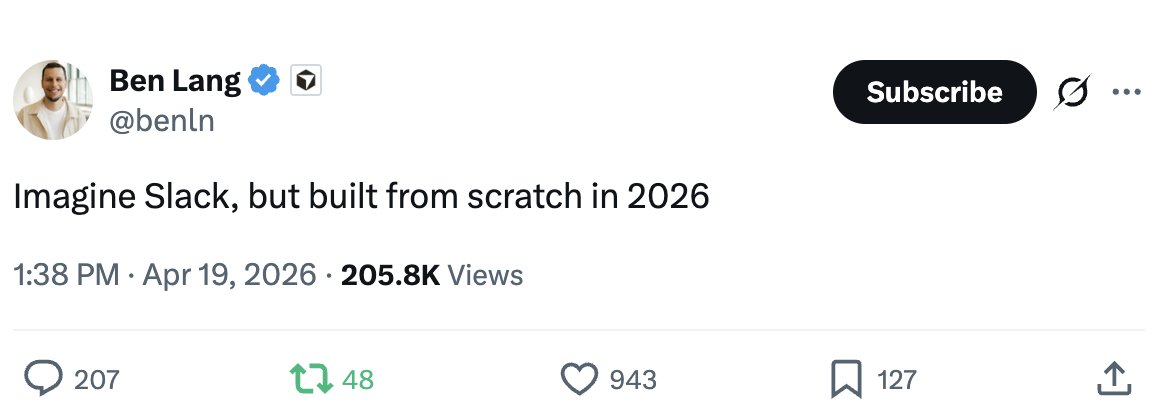
An AI-native communication and work environment, not retrofitted. It pulls context from every system of record the company runs on. It’s where humans and agents coordinate, where work gets orchestrated and made visible, and where the interface is designed for both at once. Agents talk to each other through structured protocols, not enterprise chat. Humans work through the head, not alongside it.
Companies of the future want an AI native way to communicate and deliver context to AI agents, with AI native packing and pricing models. Agents will need a way to communicate as well. And companies will want a way to orchestrate and visualize the work going on. The system won’t be headless. It will have a giant head and be filled with a huge brain.